POPCHEW
CHECKOUT
V2
Popchew was building the coolest food court on the internet. Their checkout was losing nearly 1 in 5 orders before completion. I led the full V2 redesign — from research and IA remapping through a new design system, gamification layer, and QA.
*Blue-screen brand/browsing designs by Big Human (collaboration)
00
WHAT IS POPCHEW?
Popchew is a platform built to reshape online food experiences — the goal is to become the coolest food court on the internet. Creators get the operations to build, launch, and grow food brands nationally through partnerships with local restaurants and ghost kitchens.
It's not just another food delivery app. It's content-meets-commerce — brand identity and user experience carry as much weight as the food itself. That context made this redesign different from a standard checkout optimization.

01
THE PROBLEM
The checkout was failing. Nearly 20% of orders were abandoned before completion — not because users changed their minds, but because the experience failed them.
"The whole checkout process lacks useful information and feels random / out of place."
Past Research & Diary Studies"After clicking a button, I'm never quite sure if it registered my action. Did it work or not?"
Past Research & Diary Studies"Once I place an order, it feels like it's gone into a black hole. I have no idea what's happening with it until it arrives."
Past Research & Diary StudiesThe system's feedback on errors lacked clarity. Users couldn't tell what went wrong or how to fix it — leading to repeated failed attempts and drop-off.
Uneven spacing, inconsistent component behavior, and layout discrepancies throughout signaled a lack of design system cohesion.
Users couldn't tell if their actions had registered. Buttons didn't provide clear state feedback — nothing felt certain.
After placing an order, users were left in the dark. No in-app tracking meant leaving the app entirely to check status.
Nearly 20% of orders were terminated during submission — not because users changed their minds, but because the experience failed them.
Submission uncertainty was the single biggest problem. Users couldn't tell if their order went through. So they left.
02
HOW WE WORKED
A structured but iterative workflow — starting with understanding what existed, then systematically improving it without losing what made Popchew distinct.
Existing diary studies, drop-off data, user feedback synthesis
Restructure information architecture across the full checkout journey
Sprint sketches, wireframes, design system component building
Interactive prototypes for three user cohorts across key flows
Test, identify gaps, iterate, and validate against user needs
Design-to-code validation and implementation handoff
TACTICAL
Address glaring pain points first — missing information, erratic flow, unclear feedback states
Ensure uniform checkout by standardizing elements, interactions, and feedback mechanisms
Validate the new design system against real user needs throughout, not just at the end
STRATEGIC
Build the process around user needs and desires — not just what's technically easiest to ship
Design for scalability — new features should slot in cleanly post-release
Keep checkout in harmony with the rest of the app — not a different product
03
CORE FOCUS AREAS
Four key areas defined the V2 scope — each mapped directly to a user pain point from research.
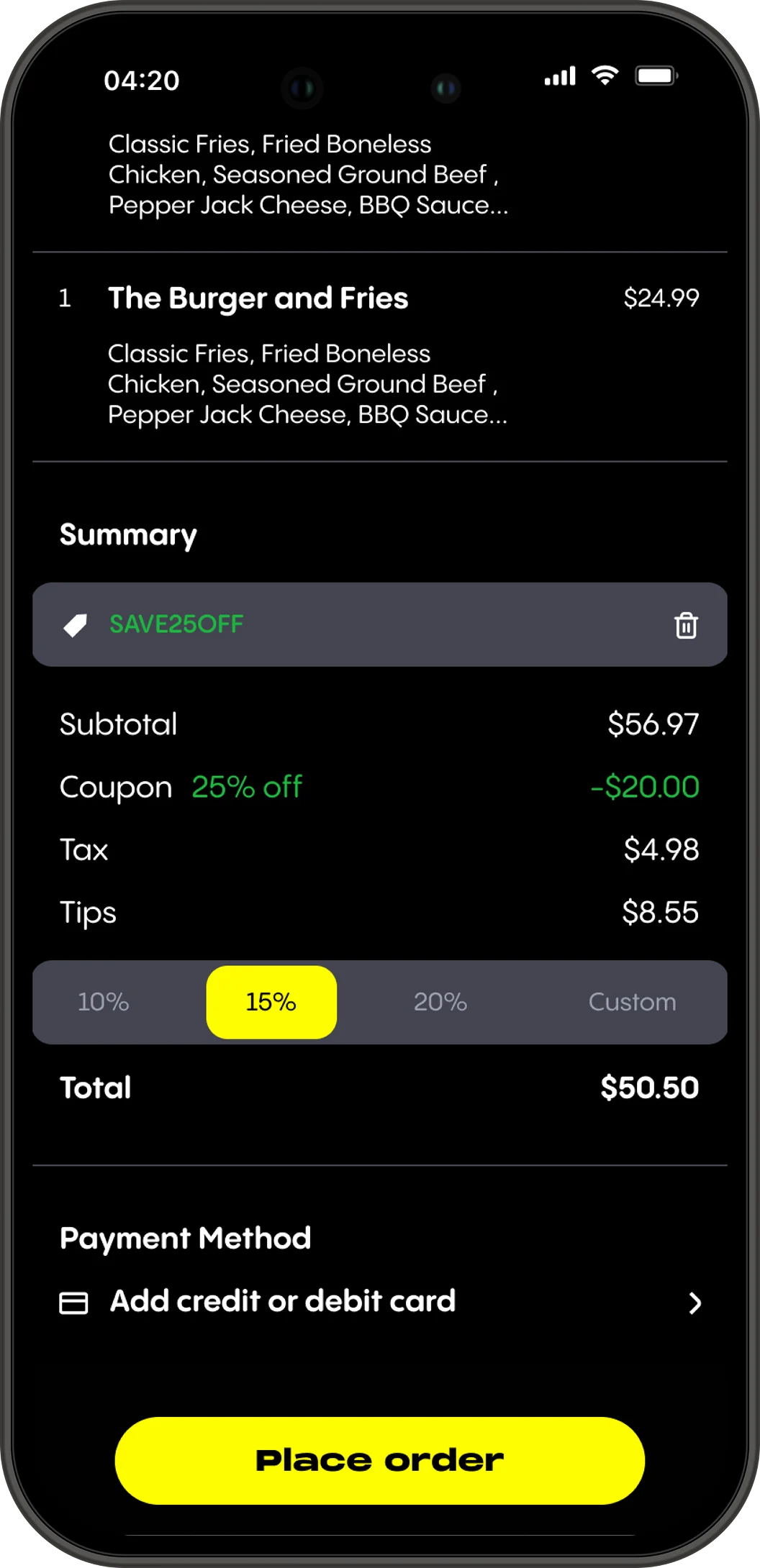
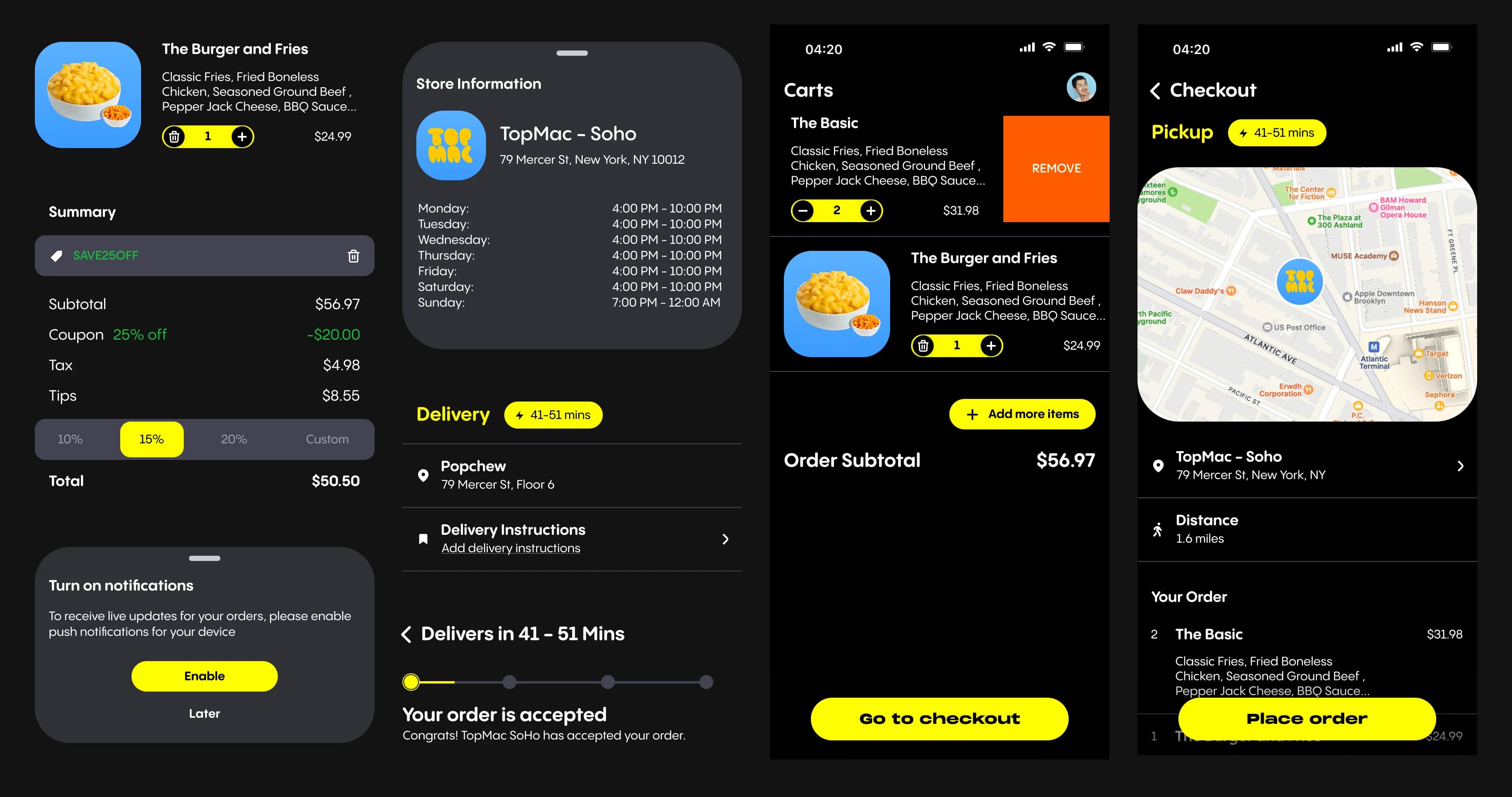
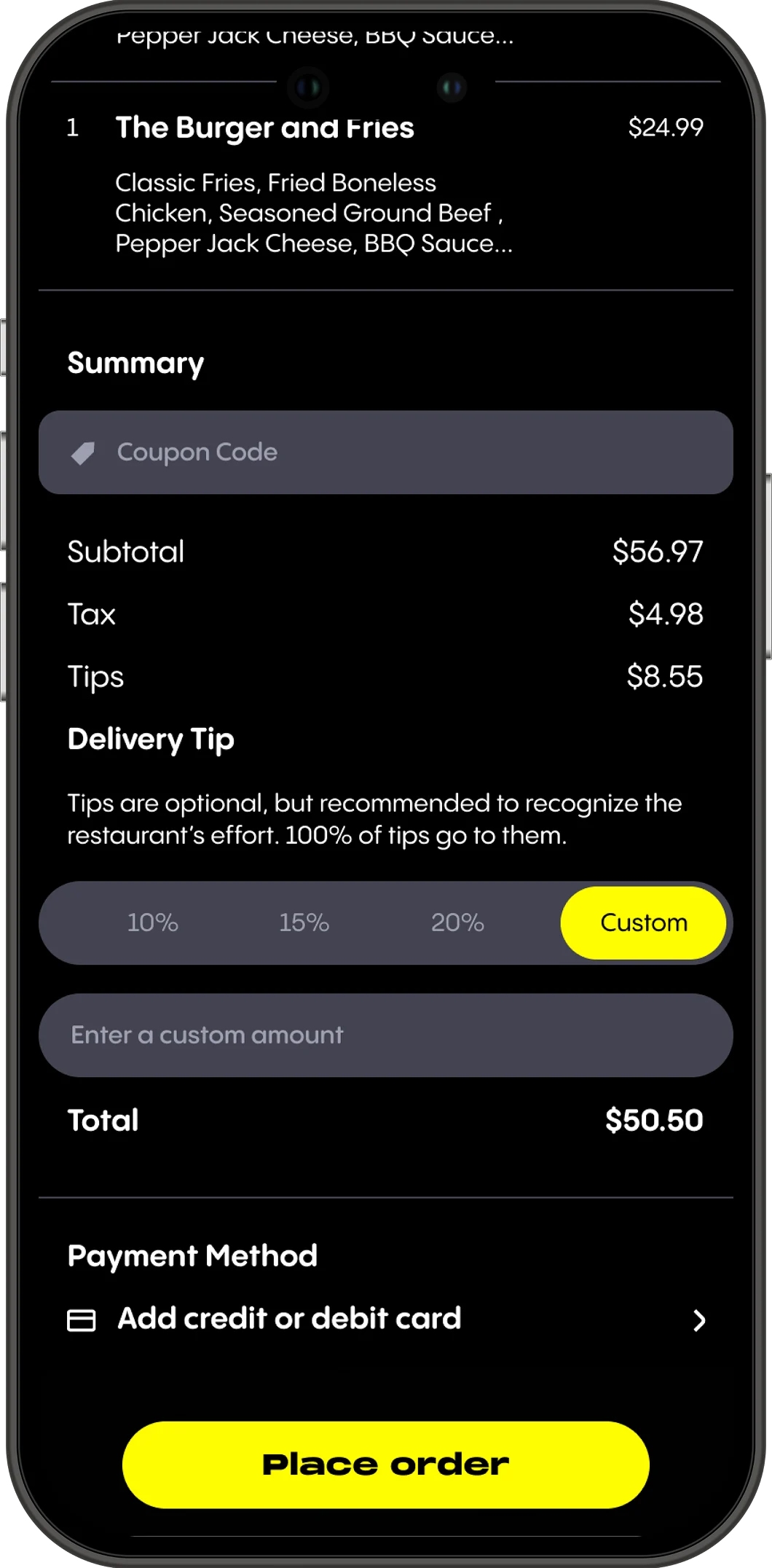
Clear view of all order details before payment — every line item, price, and modifier visible and legible.
Clear fields for notes, tips, coupons, and card details. Error states that tell users what to do, not just what went wrong.
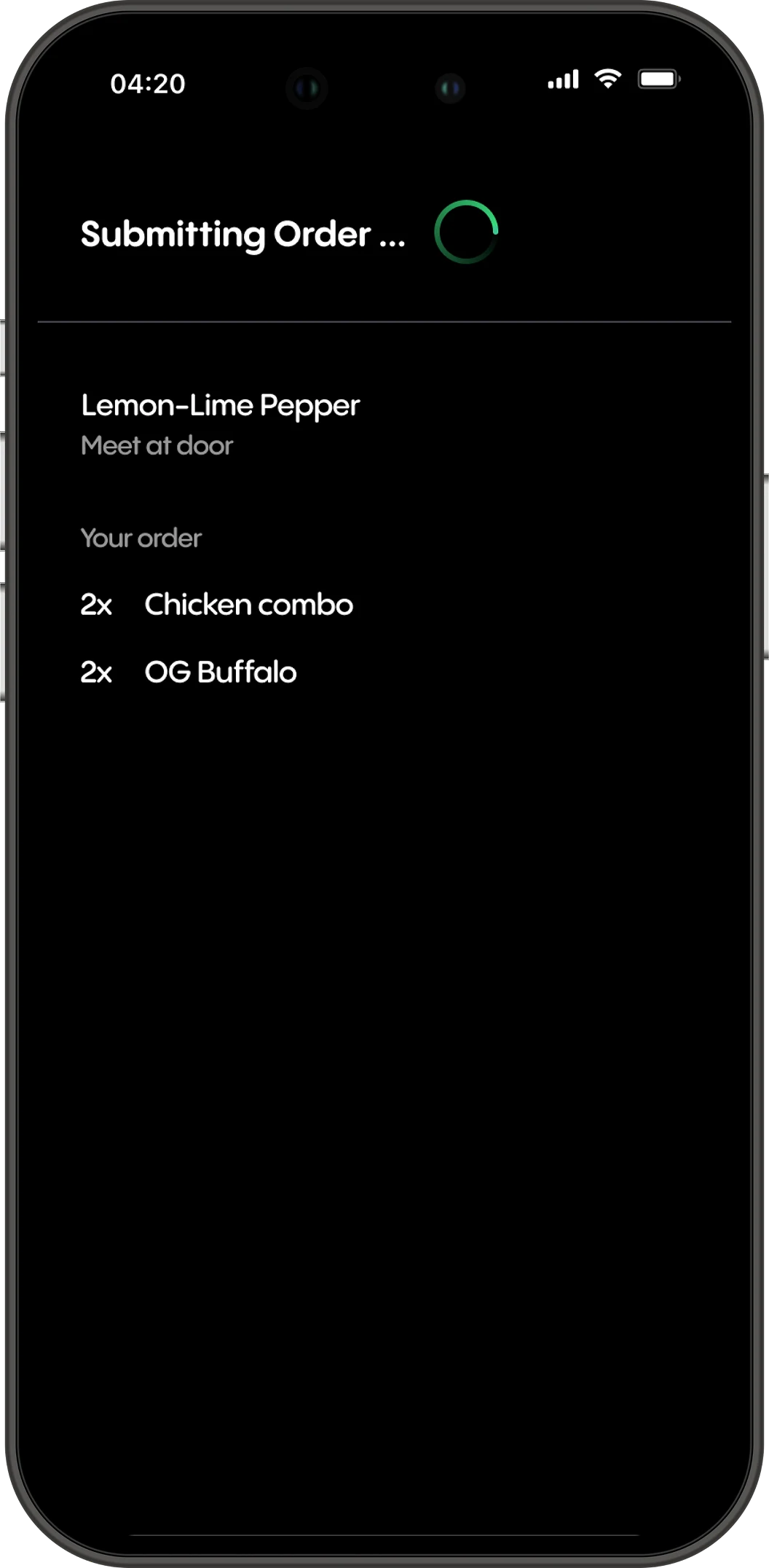
Step-by-step status communication during payment — not a blank spinner that leaves users guessing.
Real-time in-app tracking keeps users engaged. Reward prompts at delivery drive repeat orders.
04
REMAP & EXPLORE
Before designing screens, I remapped the entire IA. The old model had users scrolling through one long page with unclear section breaks. The new model separates distinct decisions into clear layers.
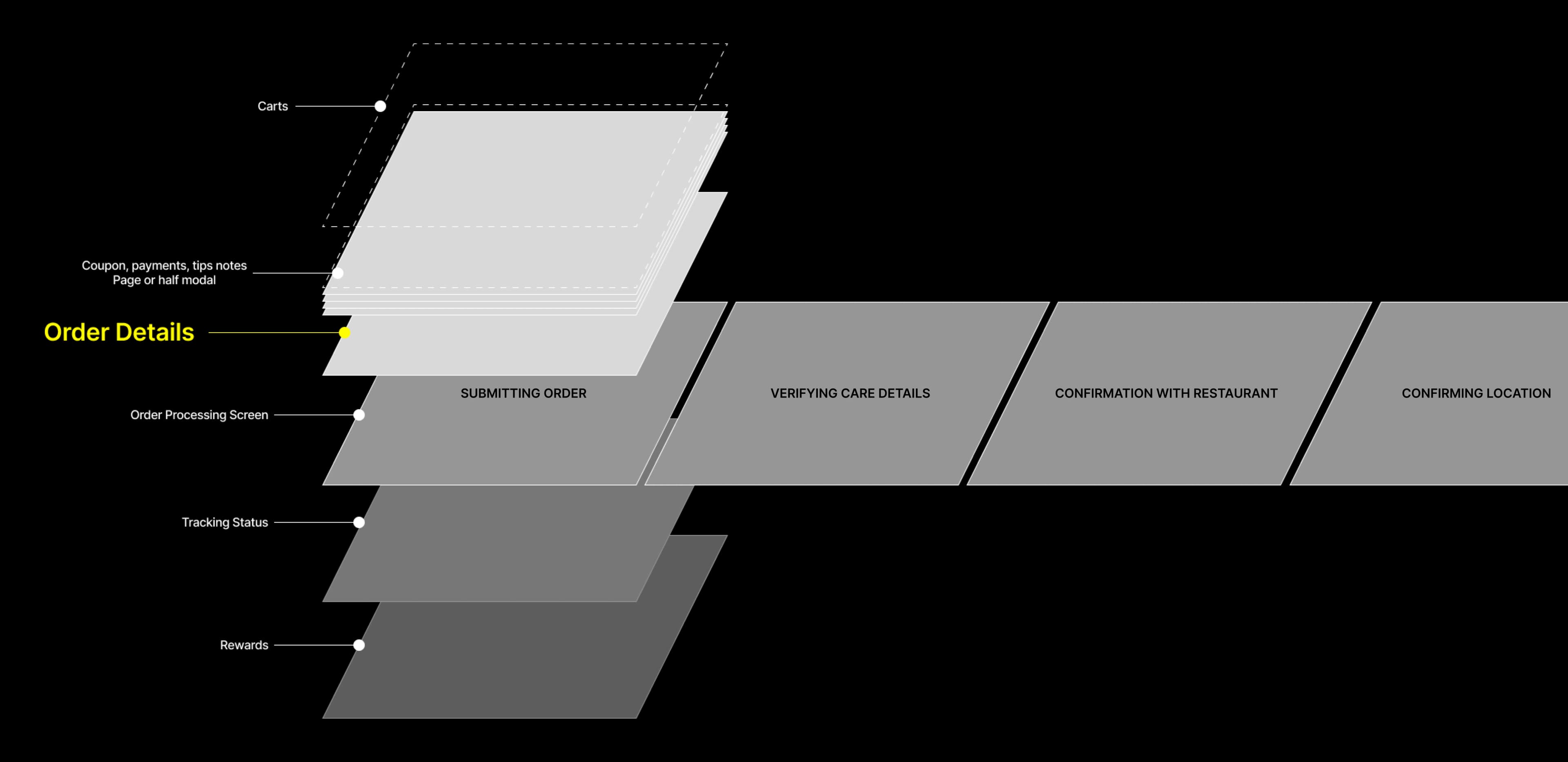
Final IA model — layer structure
The original checkout was a single scrollable view — cart, coupon, tip, payment, and CTA all crammed together without hierarchy.
The new IA separates these into distinct layers with clear transitions. Coupons, tips, and notes became half-modal overlays, each with a clear entry and exit point. Order processing got its own dedicated screen, expands horizontally into three sequential states. This alone addressed the biggest drop-off point.
05
THE NEW LOOK
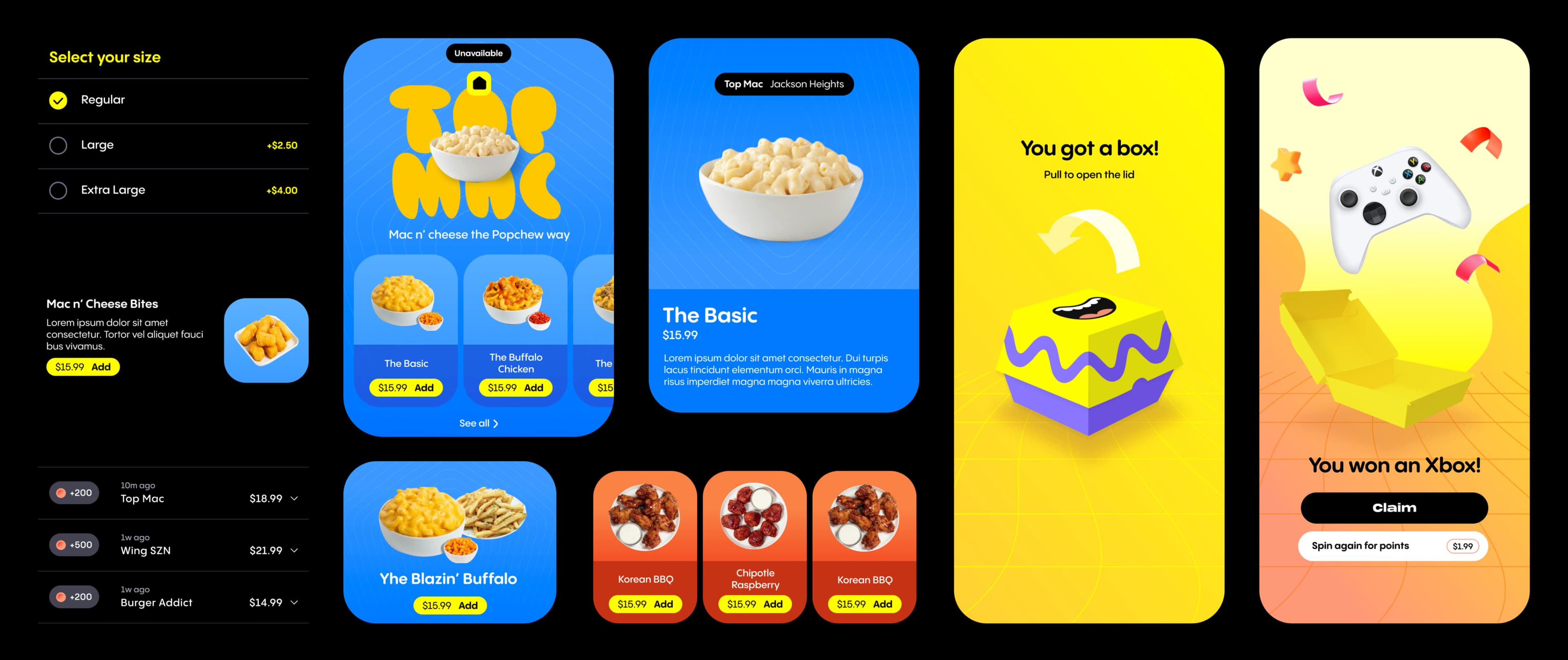
V1 was functional but generic. For V2, Big Human introduced a new visual direction for the brand and browsing experience. My work — checkout, order processing, and tracking — was designed to match and extend that language into the transactional layer.
FUNCTIONAL.
NOT FUN.
Constrained by timeline, V1 handled as much low-hanging fruit as possible using the developing design system. Components improved. Flow improved. But it still felt like every other food delivery app. Getting the job done isn't enough when your brand is built on personality.
User testing surfaced three persistent gaps: UX writing used internal language users didn't understand, price breakdown was hard to parse, and the branding simply wasn't fun enough to match what Popchew was trying to be.
DESIGNED TO FEEL
POPCHEW.
V2 brought Popchew's visual identity into the transactional experience. Bold yellow CTAs, clear price breakdown hierarchy, coupon and tip inputs as half-modal overlays, and UX copy rewritten to feel like the brand — not a generic food app.
Every error state, loading indicator, and label was reconsidered. The checkout went from a step users tolerated to an experience consistent with the rest of the product.
06
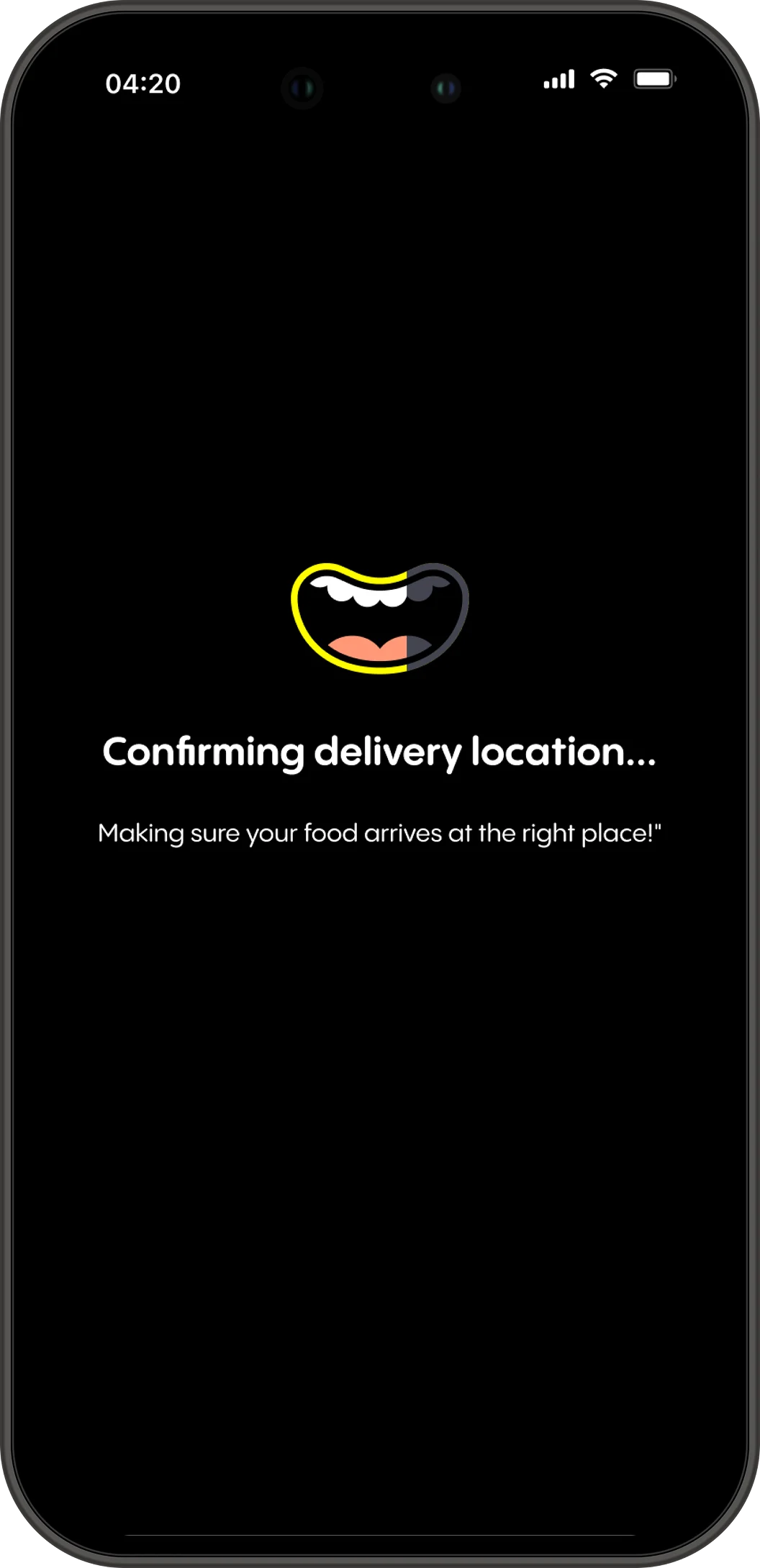
ORDER PROCESSING
The biggest abandonment cause was a blank white screen with a spinner. Users couldn't tell if their order was going through. V2 communicates every step clearly — and with brand personality.

"Hang tight, it usually takes just a moment!"

"Almost there!" — payment processing, not stuck

"Making sure your food arrives at the right place!"

"Your meal's on the way!" — order placed
07
THE DELIGHT LAYER
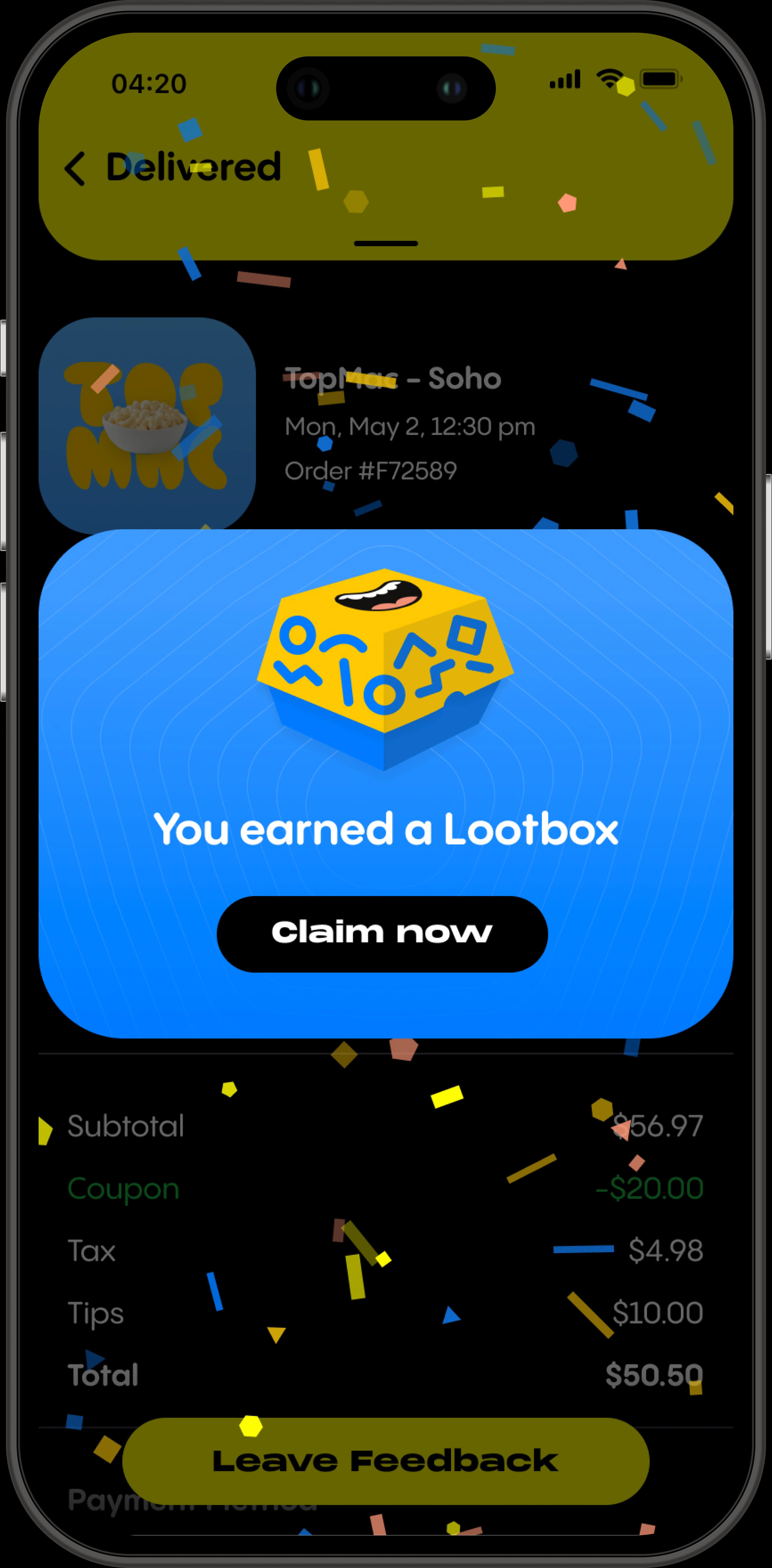
Most food delivery apps end at order confirmation. Popchew doesn't. V2 introduced a gamification layer that transforms delivery from waiting into engaging.
YOU EARNED
A LOOTBOX.
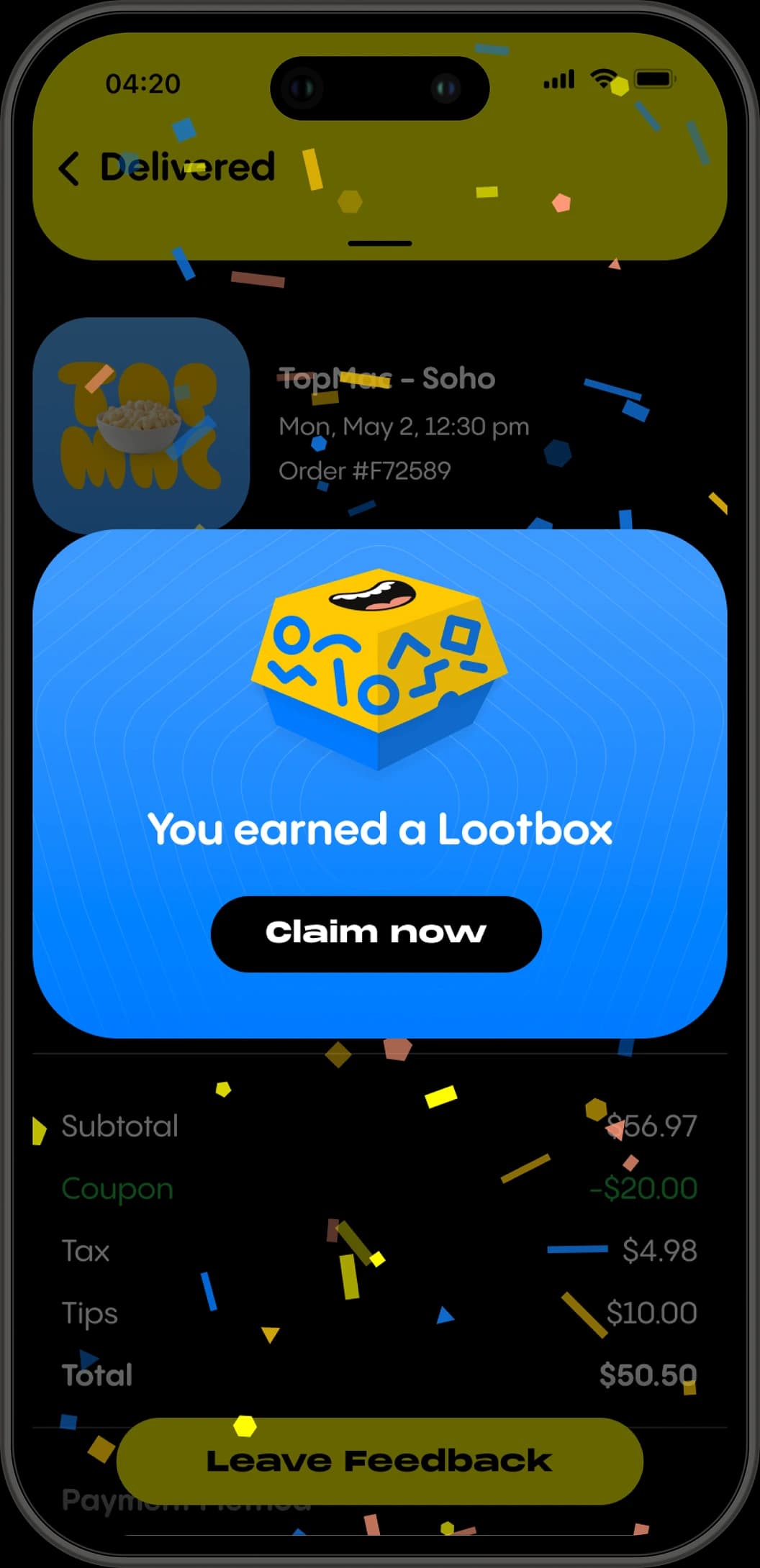
When an order is delivered, users get a Lootbox reward instead of a generic confirmation. Pull to open. Spin again for points. Claim your prize. It's the moment that turns a one-time customer into a repeat user.
Designed into the IA from day one as the final layer — Rewards comes after Tracking, not instead of it.
.0uj.pfh.o4qa5.webp&w=3840&q=75)
TRACKING
BUILT IN.
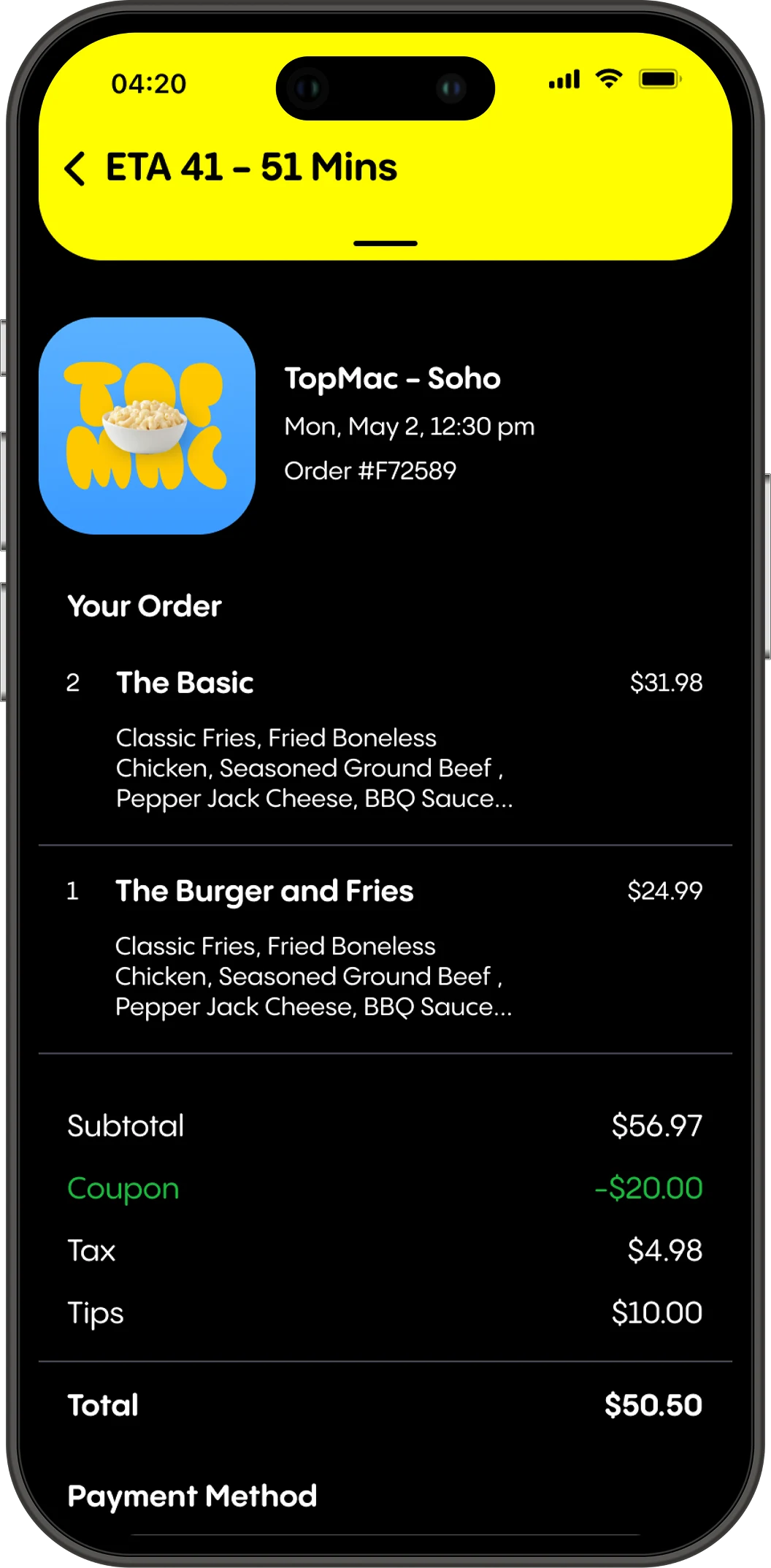
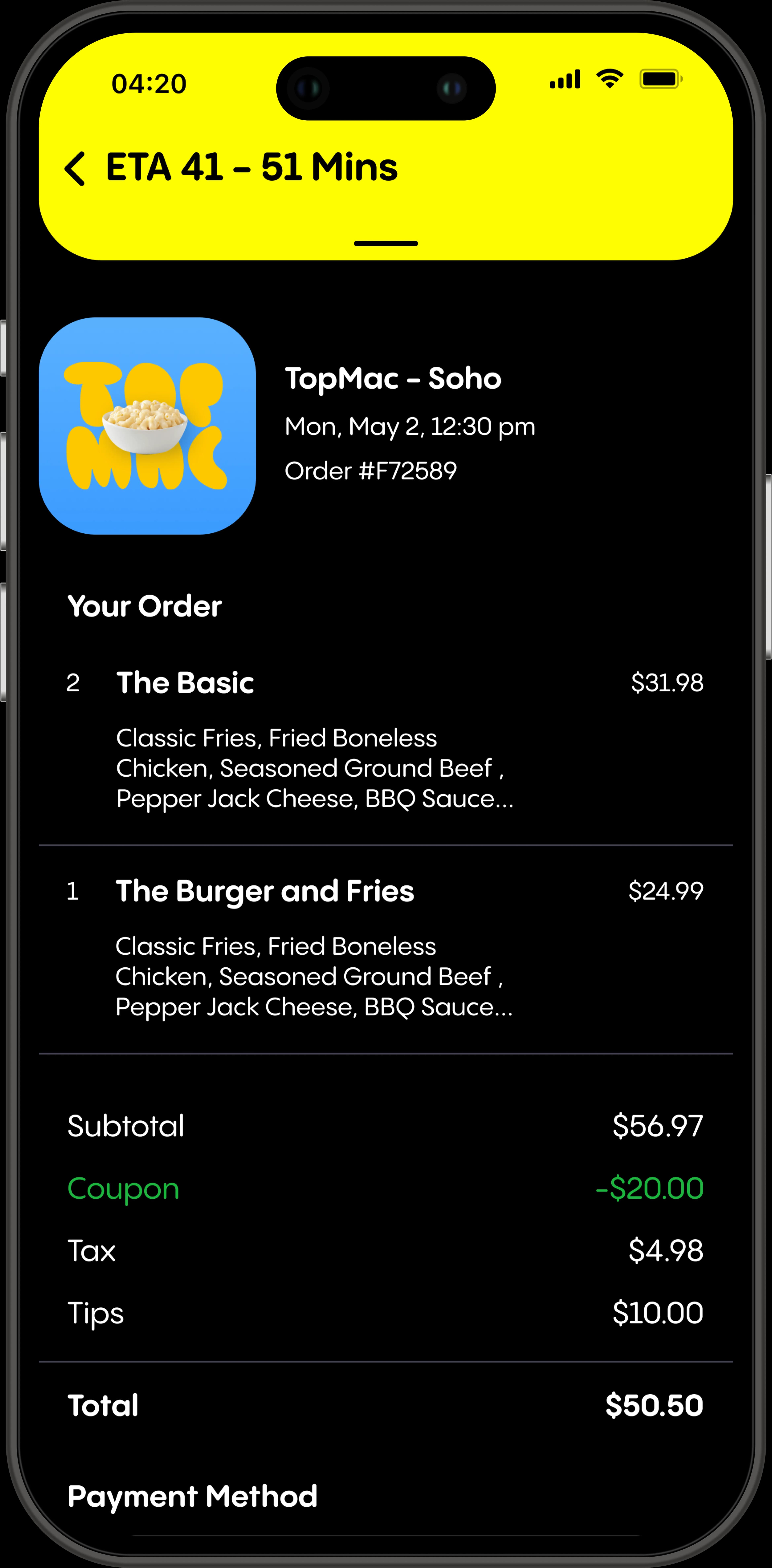
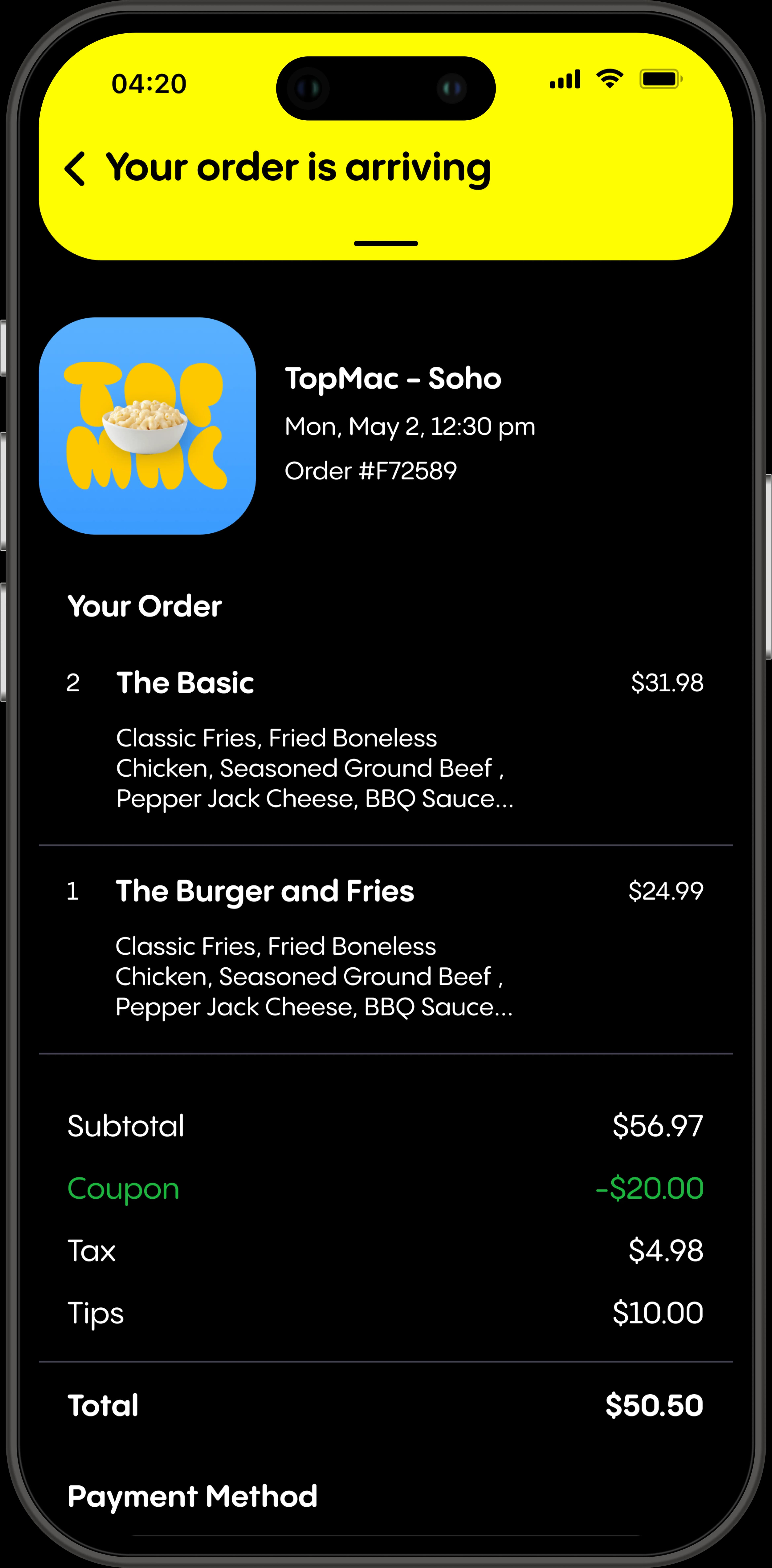
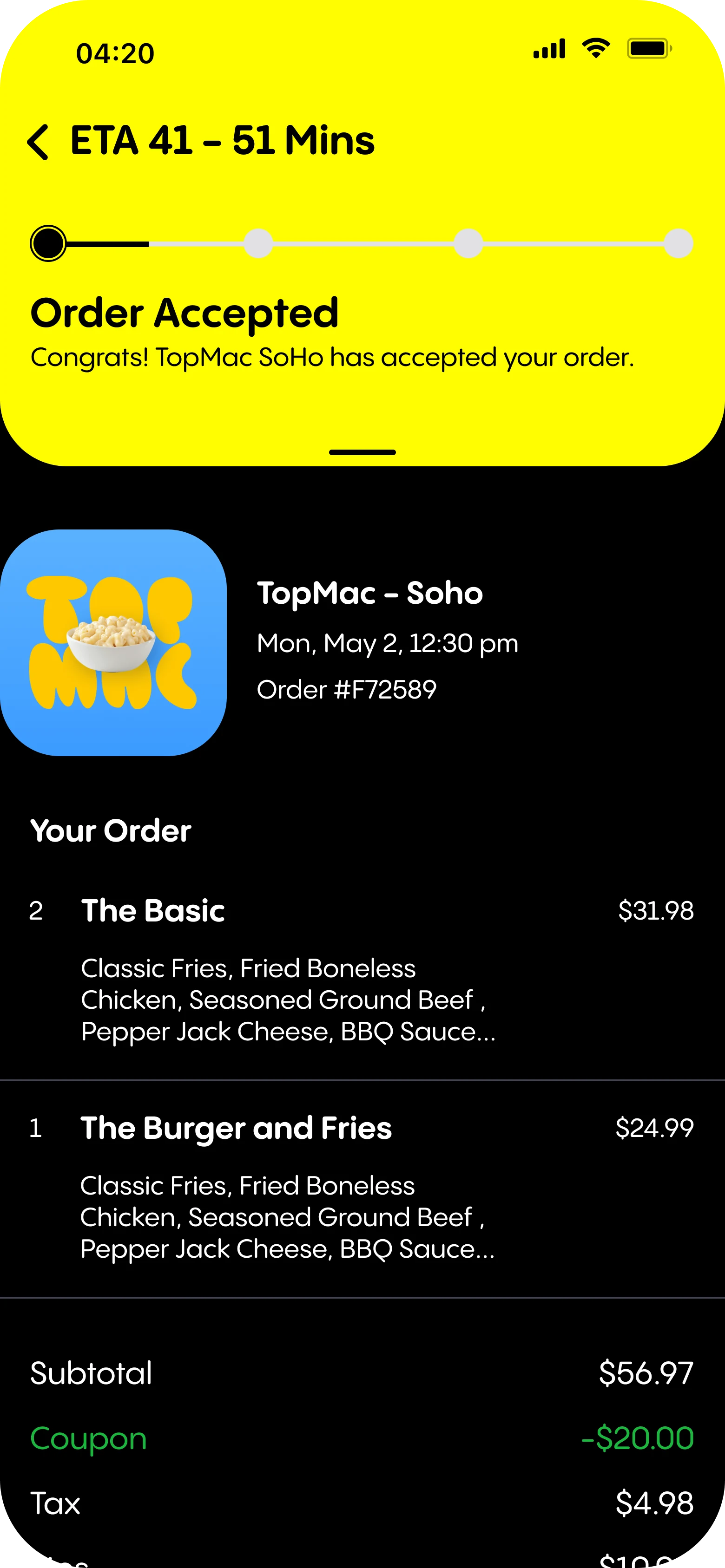
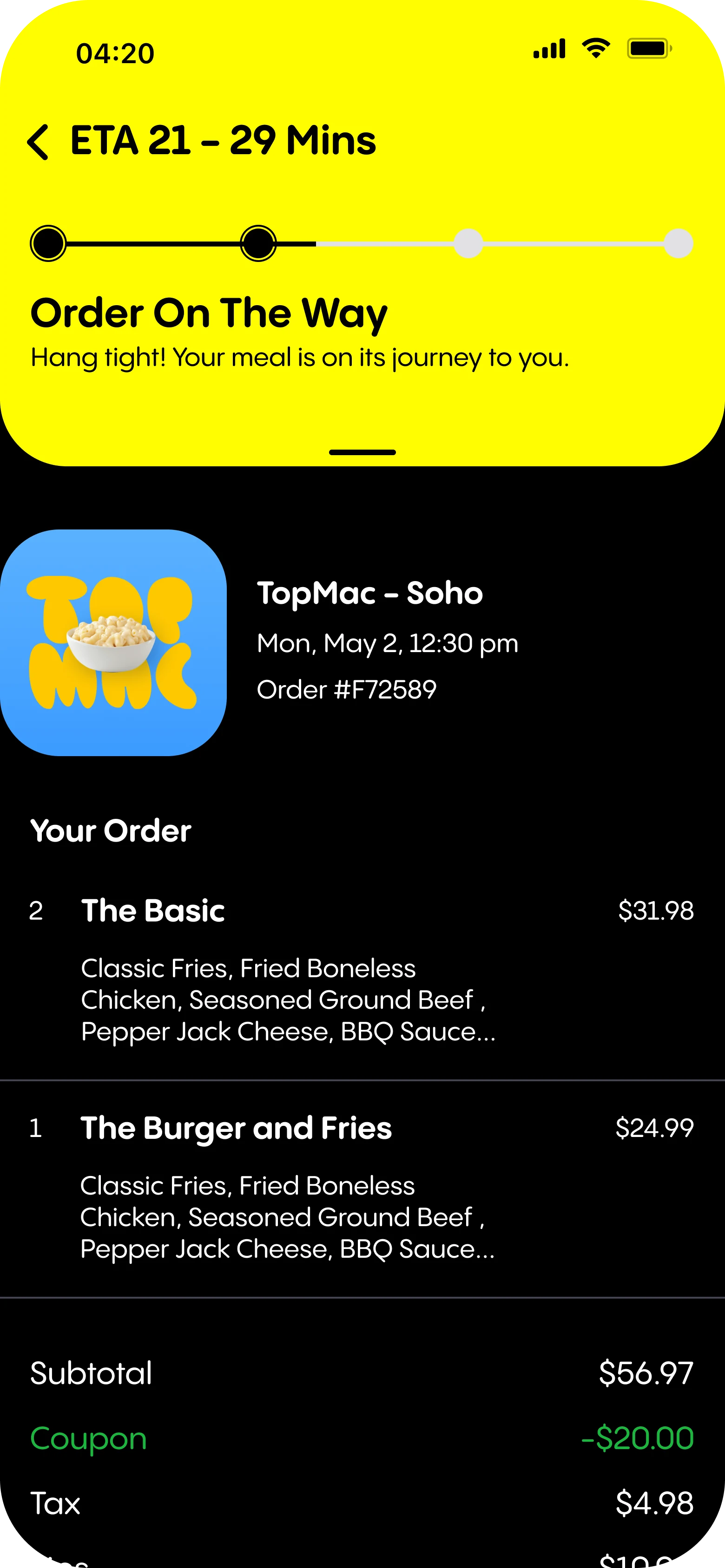
V1 forced users to open an external webpage to track their order. V2 brings tracking directly into the app — real-time ETA, order status updates, and restaurant confirmation without ever leaving Popchew.
Order statuses in Popchew's voice, not generic delivery language: Order On The Way → Arriving Soon → Order Delivered.
08
THINKING FORWARD
V2 shipped. But the design didn't stop there — I explored where the experience could go next, specifically how Popchew could extend beyond the app.
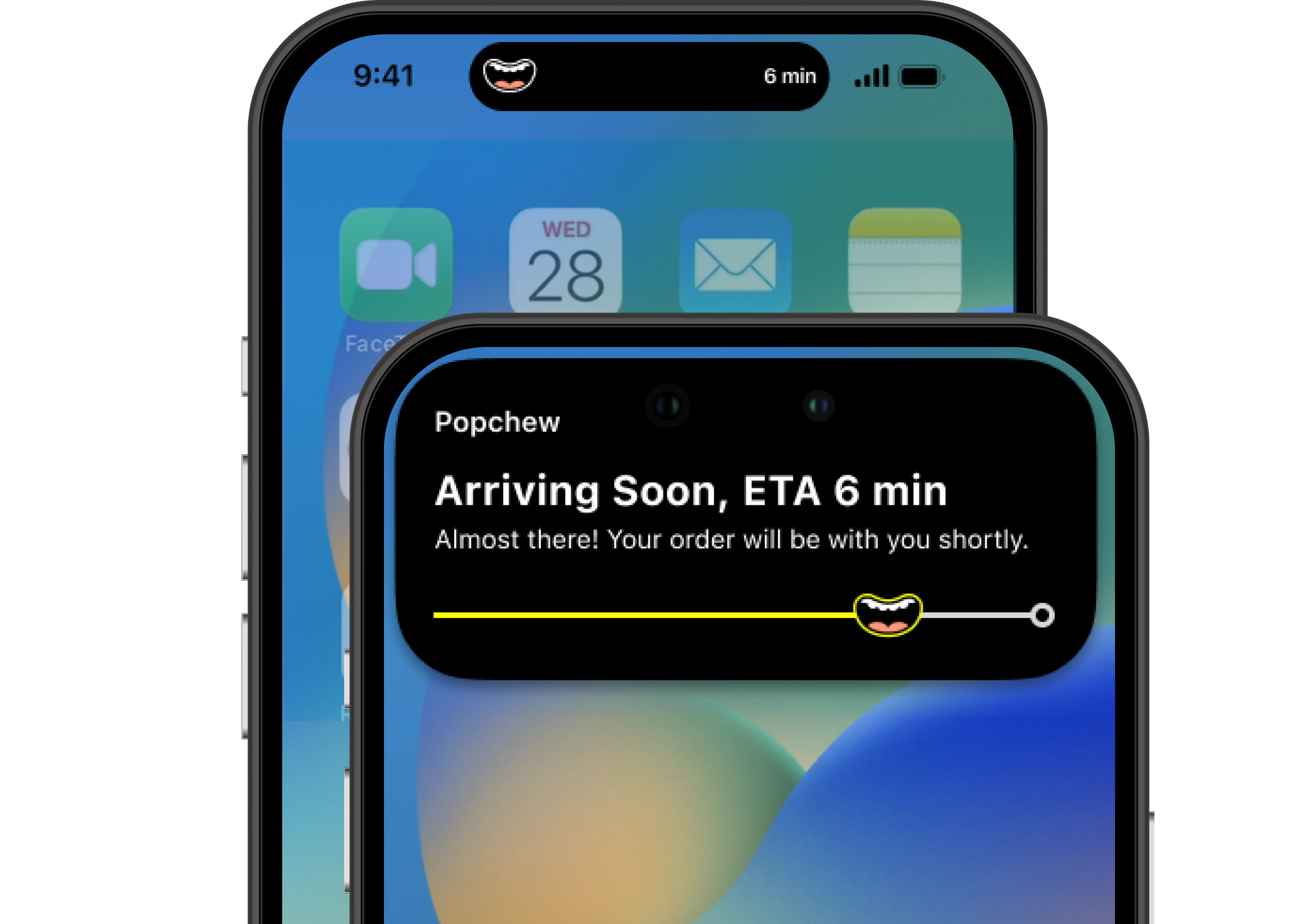
DYNAMIC ISLAND INTEGRATION
Real-time order tracking in the iPhone's Dynamic Island and Lock Screen using iOS Live Activities. The Popchew logo moves across a progress bar on the Lock Screen — arriving soon at 6 min. No need to open the app. The order status lives in the OS itself.
This concept aligns perfectly with Popchew's brand energy — dynamic, fun, and always one step ahead of what users expect.
09
OUTCOMES
Post-launch, all four target KPIs moved in the right direction. Exact figures are under NDA — available to discuss in any interview.
Task Completion Rate — More users completed checkout end-to-end. The order abandonment problem that defined V1 was measurably addressed.
Average Time In App — Gamification and in-app tracking gave users reasons to stay after placing an order instead of closing immediately.
Lootbox Engagement — Users who opened Lootboxes showed significantly higher re-engagement patterns. The delight layer worked.
Daily Active Users — Repeat order behavior improved alongside checkout experience improvements and the post-order rewards mechanic.
The checkout should feel like Popchew — not like every other app that happens to sell food.
That was the brief. V2 closed the gap between what the brand promised and what the transaction experience delivered. The numbers reflected it.
10
WHAT I LEARNED
Always align with the overarching vision before touching a single screen. The checkout doesn't exist in isolation — it's where the brand promise gets tested against reality.
When integrating existing UI elements into new features, consistency isn't optional. Every component decision had to work within and strengthen the broader Popchew design system.
Working with limited data is challenging — but even outdated diary studies can surface directional insights. Perfect data shouldn't be a prerequisite for confident design decisions.
The best time to design the Live Activity concept was before shipping V2 — not after. Considering future evolution while building the current version leads to better architectural decisions.